




Imagine you're halfway through a five-hour drive to visit loved ones for the holidays. Your daughter turns to you and asks, "Can I play Roblox on your laptop?" Not just any laptop — your work laptop, loaded with sensitive client files, financial records, and full access to your business systems. You're feeling drained from packing, still have hours to go, and keeping her entertained right now feels like a relief. But what risks are you exposing yourself to?
Holiday travel introduces unique security challenges that your daily routine doesn't encounter. Between fatigue, unfamiliar networks, and juggling family time with quick work checks, your data could be vulnerable. Whether you're traveling for business, pleasure, or a blend of both, here's your guide to safeguarding your information while preserving the holiday spirit.
Essential Pre-Trip Security: Your 15-Minute Checklist
Spend a brief 15 minutes prepping your devices before hitting the road to avoid headaches later:
Device fundamentals:
- Ensure all security and software updates are installed
- Back up vital files to a secure cloud service
- Set your screen to auto-lock after no more than two minutes
- Activate "Find My Device" on all phones and laptops
- Fully charge your portable power bank
- Pack your own chargers and adapters to stay powered up
Discuss device use with your family:
- Clearly communicate which devices kids are allowed to use
- Designate a shared family tablet or secondary device for entertainment
- Create separate user accounts on your laptop if kids must use it
Insider tip: If kids need screen time during travel, bring along a tablet not connected to your work accounts. A $150 iPad is a small price for preventing a costly data breach.
Hotel WiFi: Avoid the Most Common Mistakes
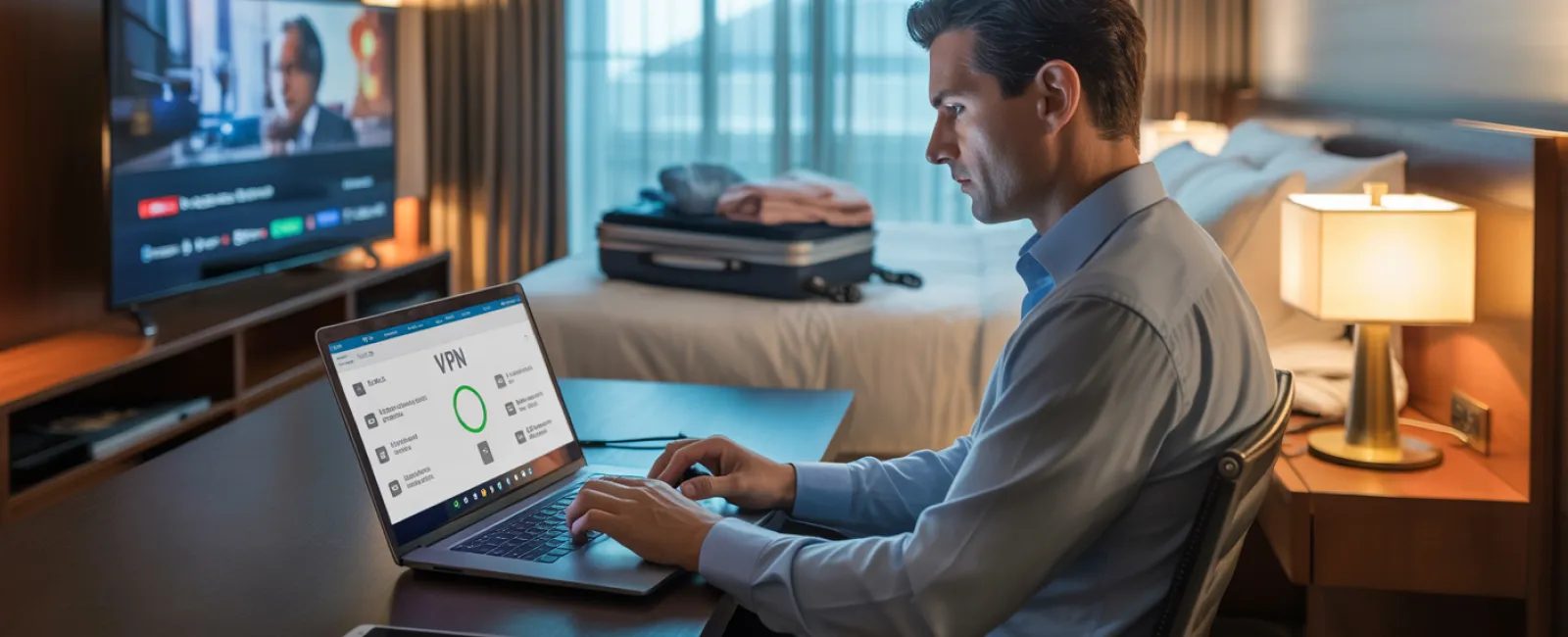
After checking into your hotel, your entire family quickly connects multiple devices to the WiFi—phones, tablets, laptops, even gaming consoles. Your teenager streams Netflix, your partner checks email, and you try to finalize a proposal for tomorrow's meeting.
The issue? Hotel networks are crowded, shared spaces where not everyone has your best interests in mind.
True story: A family connected to what they thought was the hotel's WiFi, but was actually a fraudulent network set up nearby. For two days, every online move—passwords, credit card details, emails—was intercepted.
How to protect yourself:
Confirm the exact network name by asking at the front desk—never guess.
Use a VPN for work connections to encrypt your data whenever you access company email or files.
Switch to your phone's hotspot for sensitive transactions like banking or handling confidential information.
Separate work from leisure activities—kids can stream over hotel WiFi, but use your hotspot for work tasks.
The Dilemma: "Can I Use Your Laptop?"
Your work laptop is a treasure trove of sensitive information—emails, bank data, client files, business tools. Meanwhile, your kids just want to watch videos, play games, or chat.
Why this matters: Children may inadvertently download harmful software, click risky pop-ups, share passwords, or forget to log out. This isn't malicious, just typical kid behavior—but on a work device, it's a significant security threat.
How to handle it:
Firmly decline work device usage: "This laptop is for work only, but here's another device you can use." Be consistent.
If you must allow access:
- Set up a separate, limited user account
- Monitor their activity carefully
- Prohibit downloading any files or apps
- Never save their passwords on your device
- Clear browsing history after each session
Even better: Carry a dedicated family device—an older tablet or laptop disconnected from work accounts—for travel entertainment.
Streaming on Hotel TVs: Don't Forget to Log Out
Everyone wants a movie night on the hotel's smart TV. Someone logs into your Netflix account, but after checkout, logging out slips your mind.
Risk: The next guest gains access to your Netflix profile, and worse, if you reuse passwords across accounts (please don't!), they might breach other services.
Preventive steps:
- Use your own device to cast content to the TV whenever possible—it's safer
- If logging in on the TV, set a phone reminder to log out before departure
- Even better: Download shows to your devices before traveling to avoid smart TV use
Never access these on a hotel TV:
- Banking apps
- Work accounts
- Email
- Social media
- Any platform with stored payment information
Lost Device? Immediate Actions to Protect Your Data
Travel can be hectic and devices may be misplaced in a restaurant, hotel room, rental car, or airport checkpoint. If your device goes missing…
Take action within the first hour:
- Use "Find My Device" to pinpoint its location
- If retrieval isn't quick, remotely lock the device
- Change passwords on critical accounts from another device
- Notify your IT team or managed service provider to revoke company access
- If sensitive business data was on the device, inform necessary stakeholders
Before travel, ensure your device has:
- Remote tracking enabled
- Strong password protection
- Automatic data encryption
- Remote wipe functionality
Family member lost their device? Apply the same security protocols: lock, change passwords, and attempt to locate it.
Rental Car Bluetooth: A Hidden Data Risk
When you connect your phone to the rental car's Bluetooth to play music or navigate, the car often stores your contacts, call history, and sometimes even message previews. This data can remain accessible to the next driver.
Quick 30-second steps before returning the car:
- Remove your phone from the car's Bluetooth settings
- Clear recent addresses from the GPS log
- Or better yet, use an aux cable or avoid connecting altogether
Setting Clear Boundaries on a "Working Vacation"
You promised quality family time but find yourself checking email repeatedly, taking work calls, and spending hours on your laptop while others enjoy activities.
Aside from causing family tension, toggling between work and vacation weakens your security focus. Distraction increases the risk of hasty clicks or trusting unsafe networks.
Here's the honest truth: If complete disconnection isn't possible, establish clear guidelines:
- Limit work email checks to two specific times a day
- Use your phone's hotspot instead of hotel WiFi for work-related tasks
- Conduct work inside your hotel room, away from public view
- Be fully present with your family during non-work moments
Remember, the best security practices include taking genuine time off. Your business will survive a brief pause, and a refreshed mind notices threats more effectively.
Adopting a Holiday Travel Security Mindset
The truth is balancing work and family while traveling is rarely seamless. Sometimes your child needs to use your laptop, sometimes urgent emails demand your attention mid-drive. Life happens.
Your aim shouldn't be perfection but thoughtful risk management:
- Prepare your devices thoroughly before departure
- Recognize high-risk actions (hotel WiFi banking) vs. safer ones (using a hotspot for emails)
- Separate work and family digital spaces when possible
- Have a clear plan ready for potential security incidents
- Know when to say, "Not on this device" — and stick to it
Make This Holiday Travel Experience Secure and Stress-Free
The holidays should center on enjoying time with your loved ones—not scrambling to fix a data breach or explaining a security lapse to clients.
With a bit of preparation and a few straightforward rules, you can protect your business without disrupting the family fun. Everyone leaves happy and safe.
Ready to establish reliable travel security protocols for your team and yourself? Click here or call 503-765-1802 to schedule a free 15-Minute Discovery Call. We'll help you design practical policies that safeguard your business and make travel hassle-free.
Because the holiday you want isn't one scarred by, "Remember when Dad's laptop got hacked?"